Doodle Jump

Stickman Climb 3D

Curve Ball 3D

Two Tunnel 3D

Parkour Block 3D

Rolling Ball 3D

Crazy Tunnel 3d

Stack Bump 3D

Car Eats Car: Winter Adventure
Moto X3M
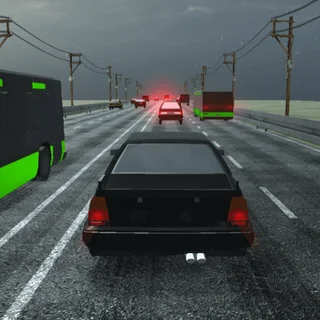
Highway Traffic
Moto X3m Winter
3D Car Simulator — Play Free Online
Racing & DrivingA 3D driving game that plays free in your browser: steer with arrow keys or WASD, or tap and swipe on a phone. Nothing to download.
3D Car Simulator is a driving game that puts you behind the wheel in a three-dimensional world and leaves the steering to you. It sits in the racing and driving corner of the Doodle Jump catalogue, and it loads right in the page, so there is nothing to install and no account to make.
It is a different kind of session from the headline game. Doodle Jump is about reflexes and a single ever-rising run; a car simulator is about getting a feel for how a vehicle turns, brakes and slides, and then pushing it a little harder. If you want a calmer break between rounds of jumpers and platformers, this fits.
The page lists the developer only as a generic web games credit, and there is no detailed public information we can vouch for about its modes or number of cars, so this guide sticks to what the game visibly does: you drive, and you aim at the road ahead.
How to play
Steer and drive with the arrow keys or WASD. The mouse is used to aim and to select things in menus. On a phone or tablet, you tap and swipe on the screen instead.
- Up arrow or W: accelerate.
- Down arrow or S: brake or reverse.
- Left and right arrows or A and D: steer.
- Mouse: select menu options and aim where the controls call for it.
Start on open ground if the game gives you the choice. A few minutes of simply driving in circles tells you more about the car than any menu will.
Tips
- Ease off the throttle before a corner rather than in it. Braking while turning is how most cars in driving games lose their line.
- Use short steering taps instead of holding a direction. Held keys give full lock, which is usually too much at speed.
- If you play on a laptop, check that your keyboard registers an arrow key and a second key together, since accelerating while steering needs both at once.
- On a touch screen, keep your swipes small and smooth; big jerky ones make the car twitchy.
Similar games on Doodle Jump
If you want something faster and more arcade-like, Helix Jump and Bird Jumper keep the same pick-up-and-play feel but turn it into one-button reflex runs. For a slower puzzle-and-platform pace, Fireboy and Watergirl and Ovo 2 reward careful movement over speed, which is closer in spirit to learning a car's handling.
3D Car Simulator suits short sessions on a keyboard or a phone, and it is a good pick when you would like to steer something rather than jump.
Questions about 3D Car Simulator
What are the controls in 3D Car Simulator?
Use the arrow keys or WASD to move and the mouse to aim and select. On a phone or tablet, tap and swipe.
Is 3D Car Simulator free to play?
Yes. It runs in your browser on doodlejump.io with no download and no account.
Can I play 3D Car Simulator on a phone?
The game lists touch controls, tap and swipe, so it can be played on a phone. A keyboard is the more precise way to steer.