Doodle Jump

OvO Classic

Mahjong Cards

Classic Bowling

Classic Bowling

2 Minute Football Classic

Bubble Shooter Classic
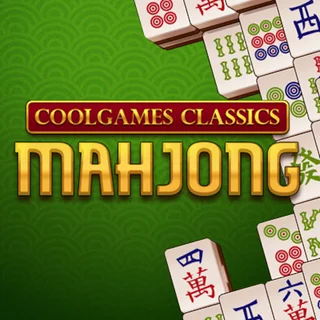
Classic Mahjong

Sweety Mahjong

Outspell

Wordle
Google Solitaire
Mahjong Classic Webgl — Play Free Online
Board, Card & WordPlay Mahjong Classic Webgl free in your browser. Match open pairs across multi-layer tile layouts in this relaxing solitaire puzzle on Doodle Jump.
Mahjong Classic Webgl brings the timeless Chinese tile-matching puzzle directly to your screen with clean visuals and responsive controls. Built around the traditional solitaire layout of 144 stacked tiles, each board presents a calm yet engaging challenge of spatial awareness and foresight. Players scan the pyramid of tiles to locate identical pairs, gradually dismantling the structure layer by layer.
While action titles on Doodle Jump test quick reflexes and timing, Mahjong Classic Webgl provides a deliberate mental reset. There is no ticking clock rushing your decisions, making it an ideal game for quiet breaks, focused study pauses, or winding down after high-energy platforming runs.
How to play
Click or tap any two matching tiles to clear them from the board. However, a tile is only accessible if it meets two strict conditions: no other tile is resting on top of it, and either its left or right side is completely clear. If a tile is boxed in by neighbors on both sides or partially covered from above, it remains locked until you remove the obstructing pieces.
Most tiles belong to standard suits—Characters, Bamboos, and Circles numbered one through nine—and must match their exact duplicate. The exceptions are the special Flower and Season sets. Any seasonal tile (Spring, Summer, Autumn, Winter) pairs with any other seasonal tile, and any flower tile (Plum, Orchid, Bamboo, Chrysanthemum) pairs with any other flower.
Tips for clearing the board
- Target tall stacks first: Layers stacked high conceal multiple tiles underneath. Removing pairs from tall piles early reveals more hidden options than picking tiles from wide, single-layer borders.
- Prioritize long horizontal rows: Tiles trapped in the middle of long rows cannot be accessed until the ends are removed. Clearing outer edge tiles from these rows frees up trapped pieces quickly.
- Look for all four matching pieces: Before choosing between two possible matches, locate all copies of that tile on the board. Selecting the wrong pair can leave two remaining tiles stranded under deep stacks.
- Preserve exposed pairs when helpful: You do not need to click every visible match immediately. If removing an open pair does not expose any new tiles, consider saving it until you need to unlock a tricky path.
Similar games on Doodle Jump
If you enjoy methodical puzzle-solving and planning, explore other titles in the catalogue. For strategic defense and resource allocation, Bloons Tower Defense 2 offers intricate level design. Players looking for cooperative problem-solving can try Fireboy and Watergirl or Fireboy and Watergirl 4: Crystal Temple. If you want to switch back to precision movement, OvO game and Helix Jump provide instant arcade challenges.
Mahjong Classic Webgl requires no downloads or installations, running smoothly on desktop computers, Chromebooks, and mobile browsers with intuitive mouse and touchscreen support.
Questions about Mahjong Classic Webgl
What are the rules for selecting tiles in Mahjong Classic Webgl?
You can only select a tile if it is completely uncovered and has at least one open side to the left or right. Tiles locked between others cannot be picked until surrounding pieces are cleared.
Do flower and season tiles need to match identically?
No. Any flower tile can pair with any other flower tile, and any season tile can pair with any other season tile, even when their illustrated symbols differ.
Can I play Mahjong Classic Webgl on mobile devices and Chromebooks?
Yes. The WebGL build runs directly in modern desktop and mobile browsers, allowing smooth touch control on smartphones and tablets or click control on laptops.