Doodle Jump

Stickman Climb 3D
Curve Ball 3D

Two Tunnel 3D

Parkour Block 3D

Rolling Ball 3D

Crazy Tunnel 3d

Stack Bump 3D

Subway Clash 3D
Highway Traffic
Madalin Stunt Cars
Hover Racer
3D Moto Simulator 2 — Play Free Online
Racing & DrivingPlay 3D Moto Simulator 2, a 3D motorbike racing and driving game with keyboard and touch controls, free in your browser on Doodle Jump.
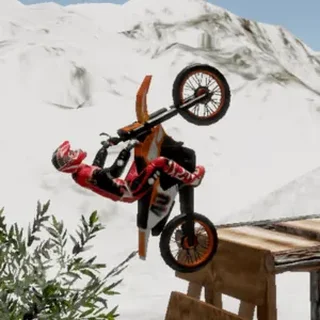
3D Moto Simulator 2 is a motorbike game in the racing and driving category. You steer a bike through a 3D environment from a behind-the-rider view, and the fun comes from controlling speed, balance and landings rather than from a long list of rules. It opens in a browser tab with nothing to install, and it is happy to be played in short bursts.
It sits a little apart from the jumpers and platformers that fill most of Doodle Jump. Doodle Jump itself is about timing and vertical climbing; this one is about momentum and line choice. If you like the way a good run in a physics-driven game comes down to small adjustments, the appeal is similar, just spread across open ground instead of a narrow tower.
How to play
Use the arrow keys or WASD to move the bike: forward and back for throttle and braking, left and right to steer. The mouse is used to aim and to select options in the menus. On a phone or tablet the game takes touch input, with taps and swipes in place of the keyboard and mouse.
A session is simple. Start the game from the menu, pick up speed, and explore what the bike can do. Treat the first few minutes as a feel-out period, because every bike game has its own idea of how much weight, grip and lean to give you.
Tips
- Ease off the throttle before a bump or ramp rather than after it. Arriving slower gives you time to correct the bike in mid-air.
- Make small steering inputs at speed. Holding a direction key down often sends a fast bike wide.
- If the bike tips, use the short moment before the fall to straighten up. Stopping and starting again is usually quicker than fighting a bad angle.
- A keyboard is easier than touch for precise control, so use one if you have the choice.
Similar games on Doodle Jump
For another game where physics matters, try Ovo 2, a precision platformer where momentum and wall jumps decide everything. Bouncy Basketball also leans on how a bouncing body behaves, though it is a two-player sports game. If you want something relaxed and vertical, the original Doodle Jump and Helix Jump are quicker to pick up and ask for far less control.
It suits anyone who wants a few minutes of bike control at the keyboard, on a laptop or a Chromebook, without signing up for anything.
Questions about 3D Moto Simulator 2
How do I control the bike in 3D Moto Simulator 2?
Use the arrow keys or WASD to move and the mouse to aim and select. On a phone, tap and swipe.
Is 3D Moto Simulator 2 free to play?
Yes. It plays free in your browser on doodlejump.io with no download or account.
Can I play 3D Moto Simulator 2 on a phone or Chromebook?
It runs in a modern browser and supports touch on phones, though a keyboard gives finer control.