Doodle Jump
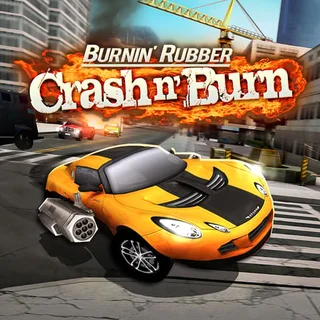
Burnin' Rubber Crash n' Burn
Moto X3M
Highway Traffic
Moto Road Rash 3D
Moto X3m Winter
Drift Parking
Extreme Off Road Cars 3 Cargo
City Rider
Scrap Metal
Burnout Drift Seaport Max
Truck Trials
Burnin Rubber — Play Free Online
Racing & DrivingBurnin Rubber is a free racing game that plays in your browser: steer with arrow keys or WASD, or tap and swipe on a phone.
Burnin Rubber is a racing game that trades realism for speed and a little mayhem. You get behind the wheel, push the pedal down and try to beat the cars around you to the finish, with the emphasis on quick runs rather than long careers. It loads in the browser with nothing to install, so a race is only a few clicks away.
On a site built around Doodle Jump, this is a change of pace. Where Doodle Jump asks for patient left-and-right nudging as you climb, a driving game asks for steady steering and good judgement about when to brake, when to hold the throttle and when to take a risk. It suits the same short, one-more-try sessions, just at ground level and with an engine noise instead of springs.
The page lists no developer we could confirm, and we would rather not guess, so this write-up sticks to what the game gives you on screen: a vehicle, a course and the clock.
How to play
On a keyboard, steer with the arrow keys or WASD. The mouse handles menu choices and selecting, so you can pick options without leaving the keys. On a phone or tablet, tap and swipe instead.
A round follows the usual racing pattern: choose what to drive or which race to enter, start, and try to finish ahead of the field. Your first couple of attempts are best spent learning how the car responds, how quickly it turns and how much it slides, rather than chasing a win.
Tips
- Ease off before a sharp corner instead of steering harder in the middle of it. Over-correcting is the most common way to lose time.
- Use short, small steering inputs on straights. Tapping the keys keeps the car steadier than holding them down.
- If you keep failing at one spot on the course, replay it and watch where the car drifts. Most bad runs trace back to a single mistake that repeats.
- Use a keyboard where you can. Tapping and swiping works, but arrow keys give finer control.
Similar games on Doodle Jump
If you want to stay with fast, reflex-driven play, Helix Jump keeps the one-button simplicity but swaps the road for a falling ball and rotating towers. Ovo 2 and OvO game are precision platformers where timing matters in the same way it does on a tight corner. For something calmer, Bouncy Basketball is a quick two-player-friendly match, and Doodle Jump itself remains the classic endless climb that started it all.
Burnin Rubber is best for a few minutes between longer games, or whenever you want something to steer rather than jump.
Questions about Burnin Rubber
What are the controls in Burnin Rubber?
Use the arrow keys or WASD to move and the mouse to aim and select. On a phone or tablet, tap and swipe.
Is Burnin Rubber free to play?
Yes. It runs in your browser on doodlejump.io with no download or account.
Can I play Burnin Rubber on a phone or Chromebook?
Yes, it is an HTML5 game that runs in a modern browser. Touch controls are supported, though a keyboard gives finer steering.