Doodle Jump
Google Snake
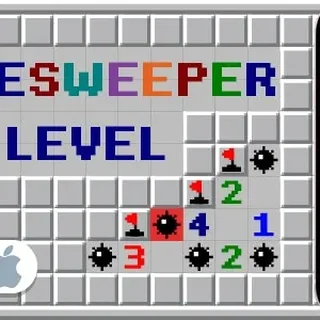
Minesweeper
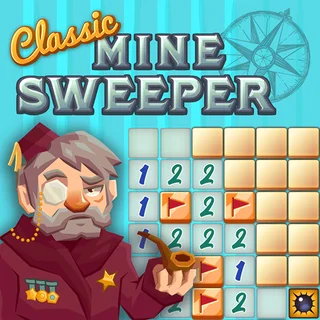
Classic Minesweeper

Google Feud
Google Solitaire

4 In A Row Connected Multiplayer

Water Sort

Rainbow Stacker
Liquid Puzzle
Onet Master

Sushi Situation
Google Minesweeper — Play Free Online
Puzzle & BrainPlay Google Minesweeper free in your browser: reveal safe squares, flag mines and use number clues to clear the whole board. No download needed.
Google Minesweeper is the classic mine-sweeping puzzle in a clean, modern look. A grid of covered squares hides a set of mines, and your job is to uncover every safe square without ever opening a mine. It is a pure logic game: no luck-based power-ups, no timers pushing you to rush, just numbers on a board and the deductions you can draw from them.
A session is quiet and thoughtful. You open a square, a cluster of numbers appears, and you start reading the edges for a spot where the maths forces a safe move or a certain mine. If you came to Doodle Jump for quick, one-more-try rounds, this gives you the same pull in a very different shape: a game where a clean board feels earned, and a mistake ends the round instantly.
It runs in the browser with nothing to install, so a board is only a click away.
How to play
This is a mouse game, so the arrow-key and WASD hint you may see listed elsewhere does not apply. Click a square to reveal it. Right-click to plant a flag on a square you believe hides a mine. On a phone or tablet, tap to reveal, and use the flag option or a long press to mark a mine.
Each revealed number tells you how many of the eight surrounding squares contain a mine. A 1 touching a single covered square means that square is a mine. A blank square has no mine neighbours, so the game opens up the surrounding area for you. Keep flagging the certain mines and clearing around them until only mines remain covered.
Tips
- Your first click is safe, so use it to open a large area rather than hesitating over it.
- Work from the edges of the opened area. Numbers next to few covered squares give the easiest deductions.
- If a number already has all its mines flagged, click it to reveal the remaining neighbours in one go, if the game supports that shortcut.
- When two neighbouring numbers overlap, compare them: the difference often pins down exactly which square is the mine.
- Flag only what you are sure of. A wrong flag can lead you to open a square you should have avoided.
Similar games on Doodle Jump
Nothing else on the site is quite this analytical, but a few titles also reward thinking over reflexes. Fireboy and Watergirl asks you to plan routes through temple puzzles, and Bloons Tower Defense 2 is about placing the right towers in the right spots. Doodle Jump itself is the opposite end of the scale: fast, reactive and all about timing.
Minesweeper suits short breaks and long ones alike, since a board can take under a minute or much longer depending on the difficulty you pick.
Questions about Google Minesweeper
How do I play Google Minesweeper?
Click a square to reveal it and right-click to flag a suspected mine. Each number shows how many of the surrounding eight squares hold a mine. Clear every safe square to win.
Can I play Google Minesweeper on a phone?
It runs in a modern mobile browser. Tap to reveal squares and use the flag option or a long press to mark mines.
Is Google Minesweeper free?
Yes. It plays free in your browser on doodlejump.io, with no download or account.