Doodle Jump
Parakite Ninja
Ninja Clash Heroes
Auto Ninja
Ninja Action 2
Ninja Mouse
Fruit Ninja
Chicken Sword: Ninja Master
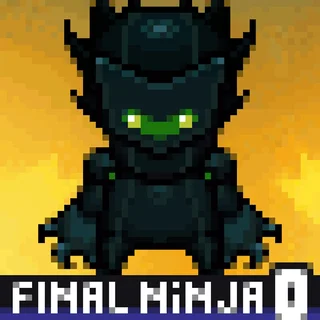
Final Ninja Zero
Doodle Trump

Helix Jump
Fireboy and Watergirl
Final Ninja — Play Free Online
Jump & PlatformPlay Final Ninja free in your browser: a jump and platform game with keyboard and mouse controls, or tap and swipe on a phone.
Final Ninja is a jump and platform game that runs straight in the browser, with nothing to install. You steer a ninja through the stages with the keyboard, and the mouse handles aiming and menu choices. It is a short-session game: open the page, play a few rounds, and leave whenever you like.
If you came to this site for Doodle Jump, the appeal is similar. Both games are about timing and positioning, and both reward careful movement over frantic button mashing. Final Ninja is a different kind of game from Doodle Jump's endless vertical climb, though, because you control a character directly with the arrow keys or WASD instead of tilting a single jumper left and right.
How to play
On a keyboard, use the arrow keys or WASD to move your ninja. The mouse is used to aim and to select things on screen, so keep one hand near the movement keys and the other on the mouse. On a phone or tablet, tap and swipe instead.
The game does not have a long tutorial, so spend the opening moments finding out how far a jump carries and how quickly your character responds to input. That knowledge is what you will lean on in every later stage.
Tips
- Play the first stage slowly. Learn the jump distance and the timing before you try to go fast.
- Use fullscreen if the game feels small. The button sits under the game window.
- If the game stalls or stops responding, reload the page. It will start again from the beginning.
Similar games on Doodle Jump
If you like the jumping side of Final Ninja, Bird Jumper and Hoppenhelm are close in spirit. Ovo 2 and OvO game are precision platformers where one mistimed jump costs you the run. Fireboy and Watergirl adds puzzle-solving and works well with two players, and Helix Jump is a quicker, one-button alternative.
Final Ninja suits short breaks on a desktop with a keyboard and mouse, and it also works by touch if that is all you have.
Questions about Final Ninja
What are the controls in Final Ninja?
Use the arrow keys or WASD to move and the mouse to aim and select. On a phone, tap and swipe.
Is Final Ninja free to play?
Yes. It runs in your browser on doodlejump.io with no download or account.
Can I play Final Ninja on a phone?
The game lists tap and swipe controls for touch screens, so it should work on a phone, though a keyboard and mouse are easier on desktop.