Doodle Jump
Blumgi Dragon
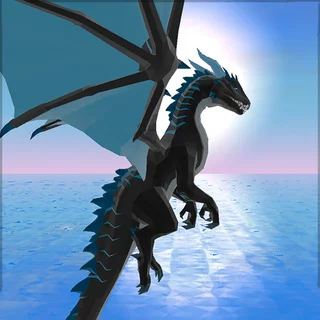
Dragon Simulator 3D

Dragon Joust

Stacky Bird

Among Us

Elastic Face

Flappy Bird

Scribble

Square Meal

ZOOM-BE (Proxy)

Bad Ice-Cream
Dragon The Dragon — Play Free Online
Arcade & SkillFly, grab, and breathe fire as a young dragon in this 3D mission-based adventure by Story Giant Games. Play Dragon the Dragon free in your browser.
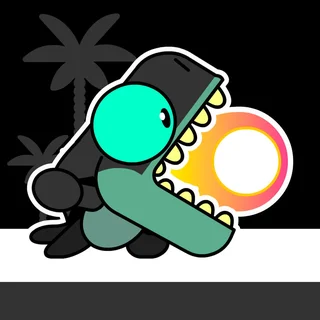
Dragon the Dragon is a 3D dragon-flying adventure by Story Giant Games in which you raise a young dragon, take to the skies, and work through a list of missions across a city that does not want you there. Instead of a single linear run, the game hands you one objective at a time: carry a fallen statue back to its pedestal, fly to the top of the tallest tree, drop a car onto a rooftop, or race through a row of rings before the clock runs out. Every mission pays coins, and the coins buy new looks for your dragon, so there is always a reason to go up for one more loop.
The story holding it together is simple. A boss dragon has taken your companion, and the way to win them back is to get stronger: fly faster, breathe harder, and prove you own the sky. In practice that means short, punchy goals rather than a long campaign. You land near a glowing mission marker, accept the prompt, and a run lasts a minute or three. Fail, and you retry or revive; succeed, and the next mission is offered on the spot.
What makes it a good fit here is that it scratches the same itch as Doodle Jump: hop in, play a little, chase a score. But Dragon the Dragon opens that up into a full third dimension, with a grab-and-burn toybox instead of one bouncing platform. It loads in the browser with nothing to install and plays with a keyboard or a touchscreen.
How to play
You steer the dragon with the keyboard. W or the up arrow climbs, S or the down arrow dives, and A and D (or the left and right arrows) turn and move you across the sky. Space breathes fire, E grabs and carries objects, and Shift gives a burst of speed. On a phone or tablet, an on-screen joystick and buttons replace the keys, and you tap or swipe to steer.
A mission starts when you land in its marked zone and accept the prompt. The game then tells you exactly what it wants, and you are free to get there however you like: fly straight at it, dive on it, or torch it from above. Landing, grabbing, and dropping matter as much as flying, so read each objective before you launch.
Tips
- Climb early and descend late. Missions that ask you to reach a rooftop or a treetop are easiest if you gain height first and glide down onto the target instead of flying level into it.
- Use the speed boost in short bursts. It is great for a steep climb or closing distance in a ring race, but it makes steering twitchier, so let go before you turn or land.
- Know what to carry and what to burn. Some missions want you to grab an object and deliver it, while others want the same object destroyed, so check the objective before you torch it.
- Save your fire for the fighting. Your breath is what finishes tanks and the boss dragon, and wasting it on scenery slows down the goal that actually pays.
Similar games on Doodle Jump
If you like the hopping feel, Doodle Jump is the endless vertical jumper this site is built around, all about climbing as high as you can. Hoppenhelm swaps the dragon for a knight who leaps between crumbling platforms one floor at a time. Bloons Tower Defense 2 goes the other way entirely: no flying, just careful strategy as you pop waves of balloons. Dragon the Dragon sits between them, an action sandbox where you are free to fly, grab, and burn.
It suits anyone who wants an arcade game with more room to move. A session can be a two-minute mission or a longer grind for the next skin, on a desktop or on a phone.
Questions about Dragon The Dragon
How do I control the dragon in Dragon the Dragon?
Use W or the up arrow to climb, S or the down arrow to dive, A and D or the left and right arrows to steer, Space to breathe fire, E to grab, and Shift to boost. On a phone or tablet, an on-screen joystick and buttons take over.
Can I save my progress in Dragon the Dragon?
Yes. Your coins, unlocked dragon skins, and completed missions are saved in your browser, so you can close the tab and come back to the same dragon later on the same device.
Is Dragon the Dragon free to play?
Yes. It is free to play in your browser on doodlejump.io, with no download, account, or install needed, and it runs on phones, tablets, and Chromebooks.
What kinds of missions are in Dragon the Dragon?
Missions range from carrying a statue back to its pedestal and flying to the top of the tallest tree to racing through rings and destroying tanks, with a hidden boss-dragon fight waiting for players who clear the earlier goals.
How long does a run take?
Most missions last one to three minutes, and the next one is offered as soon as you finish, so you can play a quick single mission or chain several together.