Doodle Jump

Stacky Bird

Among Us

Elastic Face

Flappy Bird

Pixel Fishing

My Kitten Home

Grab The Apple

Snackio

Crossy Road

Whack em all

Mechabots
Dead Zed — Play Free Online
Arcade & SkillSurvive daily waves of zombies and manage survivor duties in Dead Zed, a classic defense shooter you can play free in your browser.
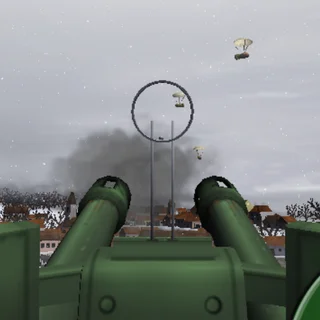
Dead Zed puts you in charge of a fortified farmhouse during an escalating zombie outbreak. Rather than running through corridors, you hold a fixed elevated firing position behind a barricade, picking off approaching walkers before they can tear down your defenses. Each day brings larger, faster, and more resilient waves of the undead, turning every single bullet and reload into a high-stakes decision.
What elevates Dead Zed above standard stationary target shooters is its strategic layer between rounds. Surviving the daylight attack is only half the battle. Once the sun goes down, you must manage your surviving group, deciding how many hours to commit to searching for firearms, scavenging for food, or repairing structural damage on the barricade wall.
Core mechanics and controls
Aiming is handled entirely with the mouse. Moving your crosshair across the open terrain lets you lead moving targets, while left-clicking discharges your equipped firearm. Headshots deal critical bonus damage, allowing you to neutralize standard walkers in a single accurate strike and conserve valuable ammunition.
Keyboard shortcuts keep combat fluid during frantic pushes:
- Left-Click: Aim and fire your primary or secondary weapon.
- R: Reload your active firearm.
- Q or 1 and 2: Switch between your two equipped weapons.
- Spacebar: Toggle rage mode or precision zoom depending on your loadout.
- F: Cycle firing modes on compatible firearms.
- M: Mute audio effects during quiet sessions.
Survival strategies for long campaigns
Consistent marksmanship is essential, but proper resource allocation is what keeps you alive across later days. Keep these tactical principles in mind:
- Prioritize headshots: Body shots consume far too much ammunition. Wait a fraction of a second for a zombie to walk into your crosshair rather than firing wildly at long range.
- Carry complementary weapons: Pair a high-accuracy, long-range rifle for distant threats with a rapid-firing pistol or shotgun to clear targets that slip past your sightline.
- Switch instead of reloading mid-assault: When an enemy reaches the barricade and your primary weapon clicks empty, swapping to your sidearm is faster than enduring a full reload animation.
- Balance scavenger assignments: Early in the game, allocate survivor hours toward finding new weapons. Once you assemble a reliable arsenal, shift labor toward barricade maintenance and defense duties.
More defense and action games on Doodle Jump
If you enjoy the strategic pacing and pressure of defending against waves of enemies, Doodle Jump hosts several companion games with similar challenges. Players who prefer tactical planning can try Bloons Tower Defense 2 or Day D Tower Rush for deep base-defense mechanics. If you want faster reaction-based gameplay after a grueling defense round, check out precision platformers like Ovo 2 or the fantasy action of Hoppenhelm.
Questions about Dead Zed
How do you aim and shoot in Dead Zed?
Use your mouse to aim the reticle and left-click to fire. Press R to reload, use numbers 1 and 2 or Q to switch weapons, and press F to switch fire modes when available.
What should survivors do between days in Dead Zed?
Between rounds, divide your allocated daylight hours among surviving tasks: assign team members to search for new weapons, gather supplies, or repair damaged barricades.
Does Dead Zed save your campaign progress?
Yes, the browser build stores your completed days, unlocked weapons, and upgrade stats in local browser storage so you can resume your defense campaign later.
Can Dead Zed be played on a Chromebook or laptop?
Dead Zed runs directly in any modern desktop or laptop web browser using standard mouse and keyboard controls without needing plugins or extra installations.