Doodle Jump

Ellie and Ben: Date Night
Friday Night Funkin B-Sides
Friday Night Funkin vs Hatsune Miku

Friday Night Funkin
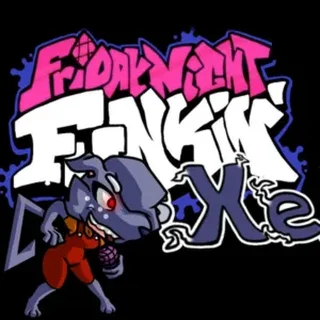
Friday Night Funkin vs XE

Friday Night Funkin vs Shaggy x Matt

Papa's Bakeria

Funny Travelling Airport

Become a Puppy Groomer

Super Girl Story

Cooking Fast
Friday Night Funkin' — Play Free Online
Dress Up & CookingPlay Friday Night Funkin' free in your browser on Doodle Jump. Hit rhythm arrows in time, conquer musical rap battles, and master every song.
Friday Night Funkin' is the smash-hit indie rhythm game where musical timing and quick reflexes decide every contest. Stepping into the shoes of Boyfriend, your mission is simple yet demanding: impress your Girlfriend and win over her skeptical family through a series of intense, track-by-track freestyle rap battles. Each opponent brings their own tempo, visual style, and complex vocal patterns that push your reaction speed to the limit.
The core appeal lies in its infectious soundtrack and satisfying beat-matching gameplay. Unlike casual platformers where you dictate the movement pace, here you must lock into the rhythm of each song. Opponents sing a sequence of melodic notes first, and you must immediately respond on beat as matching arrows stream up the screen. Missing notes depletes your stamina bar, while accurate hits keep the spotlight firmly on your performance.
How to play
When a track begins, colorful arrows float upward toward the stationary target markers at the top of the screen. Press the corresponding key precisely when an arrow aligns with its target marker:
- Left Arrow or A: Hit left-lane notes.
- Down Arrow or S: Hit down-lane notes.
- Up Arrow or W: Hit up-lane notes.
- Right Arrow or D: Hit right-lane notes.
Keep your eyes on the health meter at the bottom of the screen. Landing consecutive notes pushes the icon bar toward your opponent's side, securing your victory. Miss too many notes in a row, and your meter drains completely, ending the performance before the track finishes. You can tackle consecutive songs in Story Mode or head straight into Freeplay to practice your favorite individual tunes on Easy, Normal, or Hard settings.
Tips for rhythm battles
- Split your hand placement: Trying to hit fast four-key patterns with one hand often leads to finger fatigue. Use your left hand for the left and down directions and your right hand for up and right to react smoothly to rapid note streams.
- Focus on the receptors: Stare near the top receptor arrows rather than watching notes rise from the bottom. Seeing the arrows hit the target zone gives you clearer visual timing for sick and good ratings.
- Listen to the beat: Visual cues help, but Friday Night Funkin' is fundamentally driven by its music. Tapping along with the percussion rhythm helps keep your timing tight during syncopated verses.
Similar games on Doodle Jump
If you enjoy testing your reflexes on Doodle Jump, you can branch out into several other fast-paced titles in the catalogue. Players who love precise timing and obstacle avoidance can tackle platforming challenges in OvO game or navigate hazardous traps in Hoppenhelm. For cooperative puzzle-solving and elemental mechanics, Fireboy and Watergirl offers another classic test of coordination and split-second focus.
Friday Night Funkin' runs directly inside your web browser with no downloads or setup required. Plug in your headphones, turn up the volume, and see if you have the rhythm to conquer every week.
Questions about Friday Night Funkin'
What controls work best for Friday Night Funkin'?
You can use the standard Arrow keys or WASD to hit notes. Many rhythm players prefer using both hands, placing two fingers on WASD and two on the arrow keys or DFJK to handle rapid streams.
Can I choose different difficulty levels in Friday Night Funkin'?
Yes. In both Story Mode and Freeplay, you can switch between Easy, Normal, and Hard before starting any song to adjust arrow speed and note density.
Does Friday Night Funkin' save my high scores in the browser?
Yes. Your song unlocks, high scores, and cleared weeks are automatically saved in your browser storage as long as you do not clear cache and site data.
Do I need to install any software or plugins to play?
No installation or extra plugins are required. The game runs directly in any modern desktop or laptop web browser with sound and keyboard support.